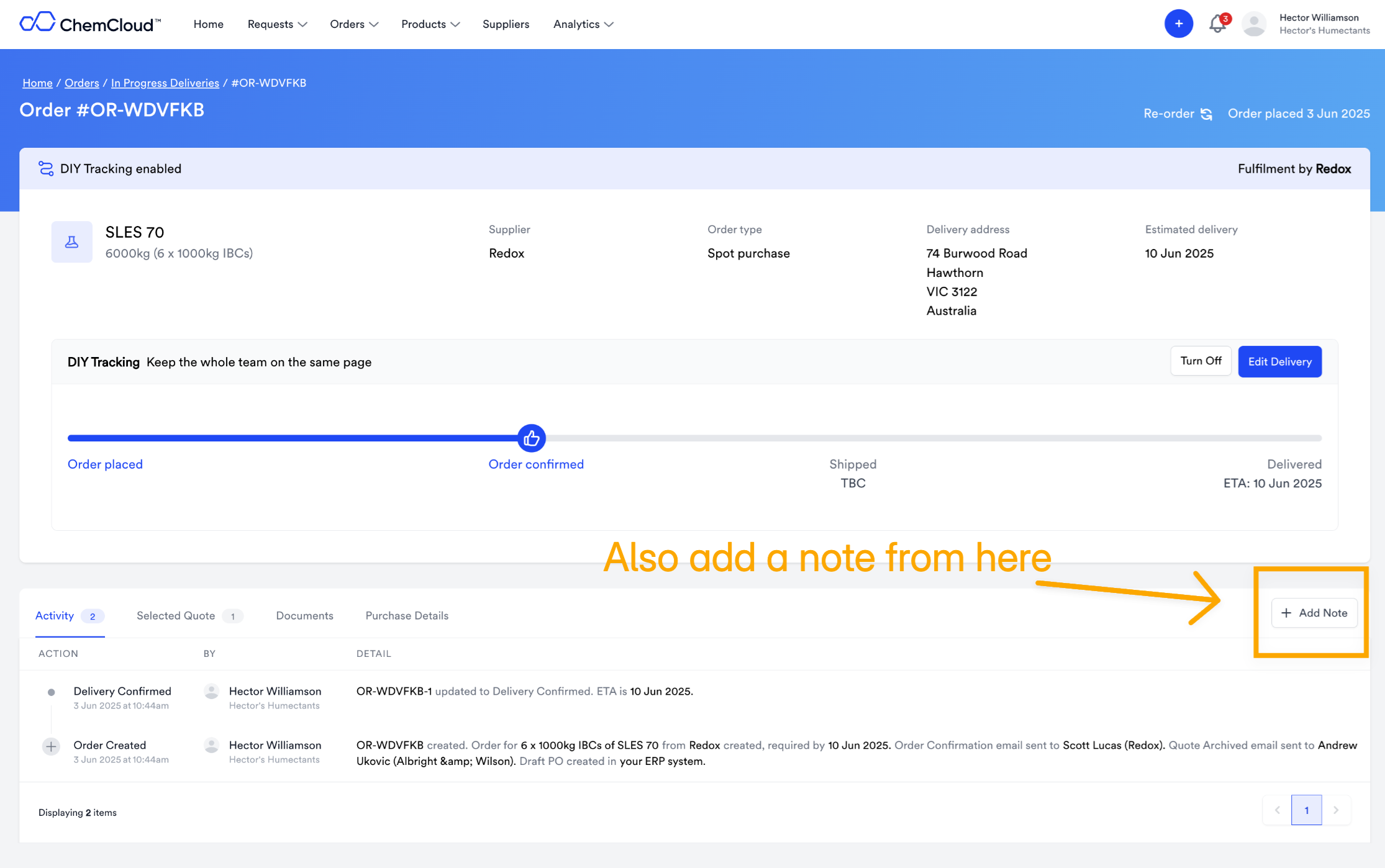
Start collaborating with team members straight away
You can ‘Mention’ a colleague by using the @ - and they will receive an email with your note. Say goodbye to long email threads without context, and start collaborating on ChemCloud.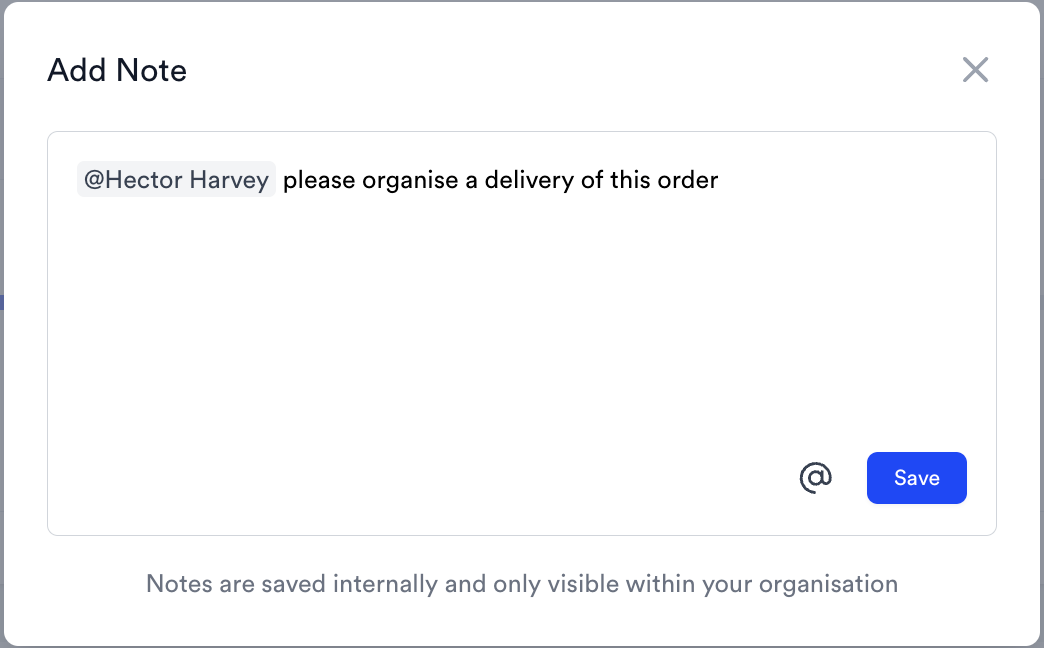
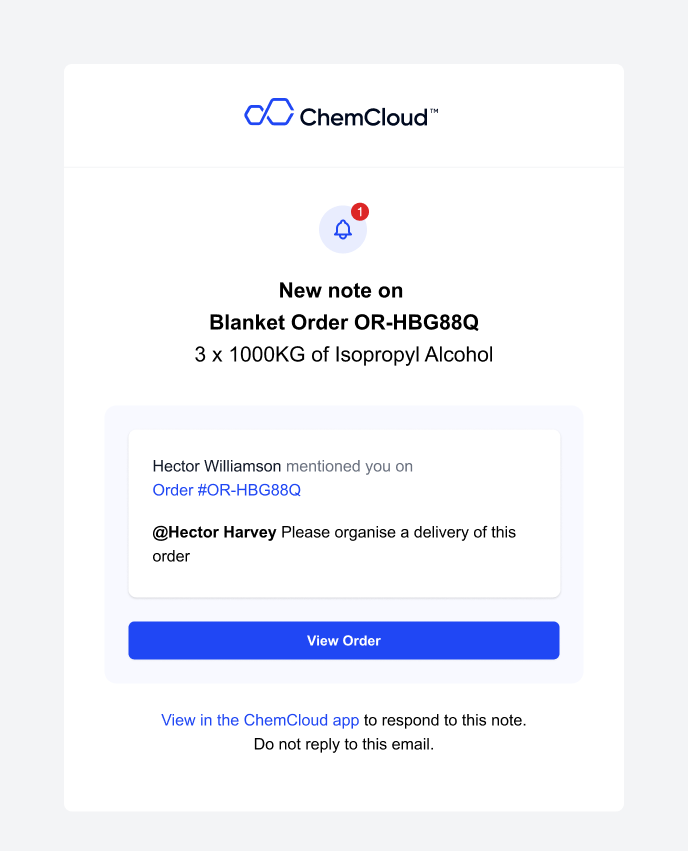
See what the email looks like
See what the email looks like
How do I add a note?
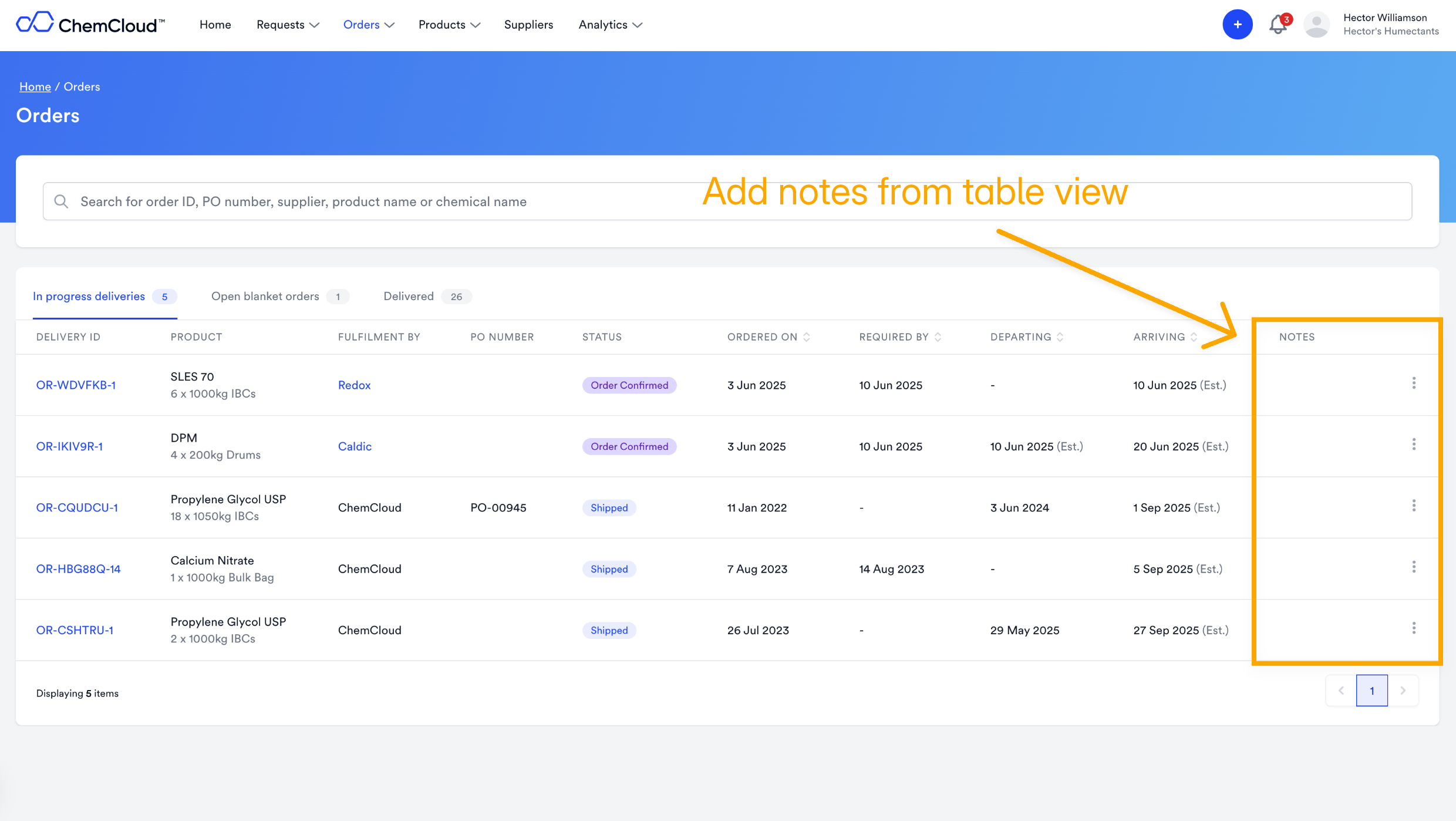
Look out for the ‘Add Note’ button on a Request, an Order or an Approved Material.You can add notes from a table view…
… and on each Delivery, Request or Approval page